The bridge between intent and action.
Everyone wants to be better. The intent is there. Koi takes everything you intend to do, across your to-dos, movement and food, and turns it into one Balance score and one achievable next step. Small slips compound. So do small steps.
Join the waitlist for free beta access before the January 1 launch.
One calm screen for each part of your day.
Hub, Calendar, Movement, and Intake. Each one is a dial for what matters today, and nothing you have to set up first.
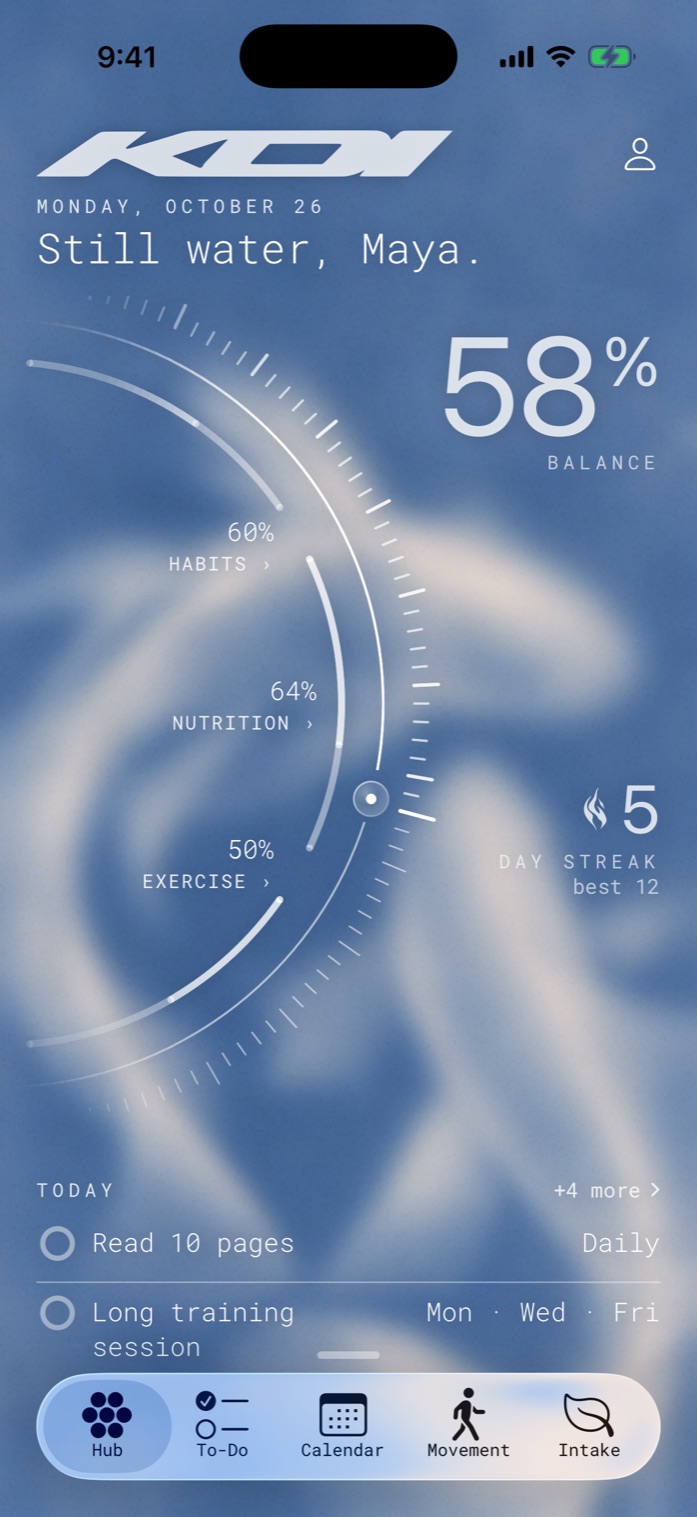
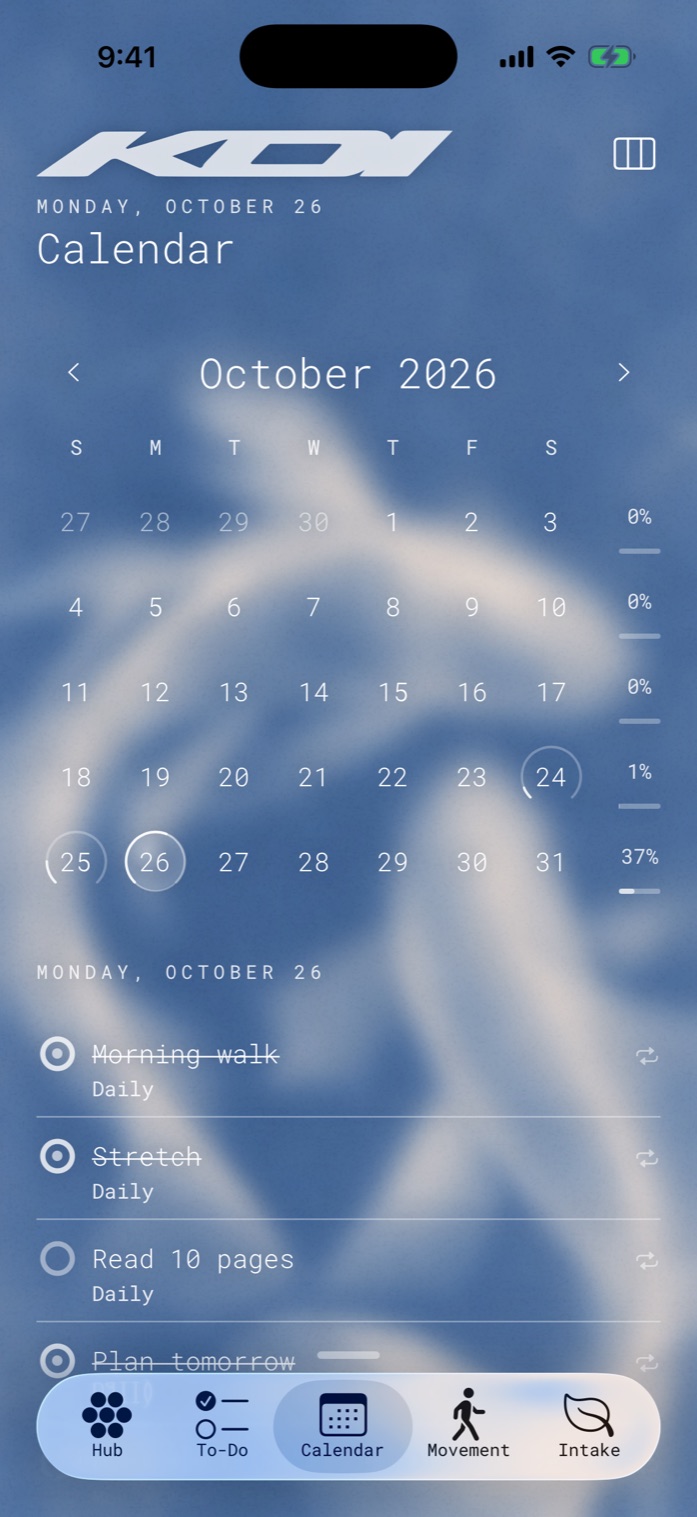
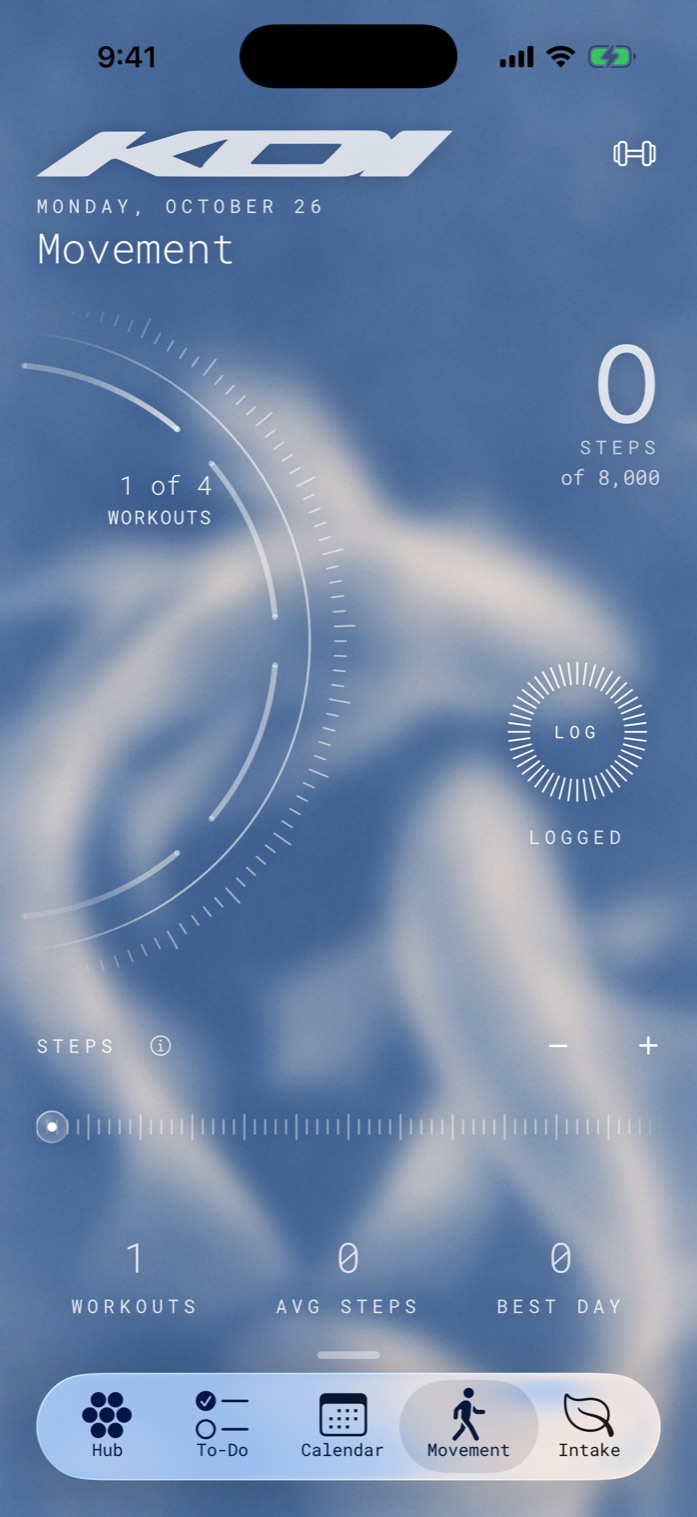
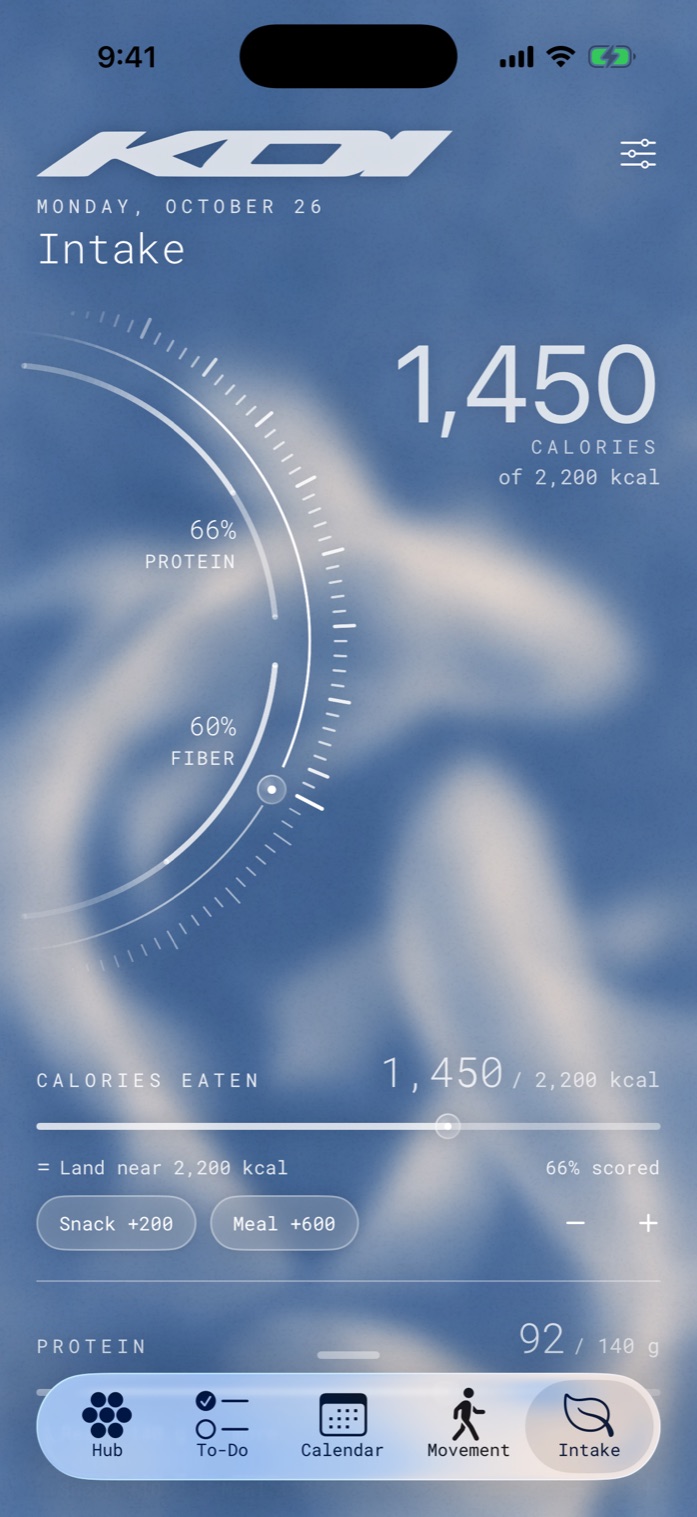
Just write. Koi logs it.
Swipe up on any screen and write how your day is going. Koi reads it on your phone and offers to log what it finds, one tap each, so you never have to open another tab. Snap a photo instead and a meal logs itself, or a gym shot logs the workout.
- [×]Log workout"Leg day done"Habit
- [×]Log meal: protein shake and chicken bowlEstimated, then added to IntakeIntake
- [ ]To-do: call mom"Need to call mom"To-do
Train with a plan. It logs itself.
Connect Apple Health and it fills itself in from Apple Watch, Whoop, Oura, or a smart scale. Rest days never count against you.
- [×]Push, Pull, and Leg daysSet the weight and reps, tap Log set, move to the nextJournal
- [×]Rest timer on your lock screenStarts on its own after every set, in the Dynamic Island tooLive
- [×]Every lift chartedWorkouts, weight, and sleep come in from HealthJournal
Koi, without opening Koi.


Smart notifications & Siri
A daily check-in, then only when it helps: a pillar behind, protein short, a streak at risk. Each cancels itself once you're there. Or just say "Log a workout in Koi."
You can feel your day add up.
The dial sweep
When Koi opens, the dial draws itself in and you feel it tick past every mark on the way to your score, landing harder on a better day.
Checking things off
A ring draws around a habit and drops into place with a soft tap. Logging a set, a glass of water, or a meal each has its own feel.
Small wins
A new personal best, a goal reached, or a streak kept gets a little celebration you feel before you see.
Calm motion
Everything resolves out of a soft blur instead of sliding. Turn on Reduce Motion and it all stays still.
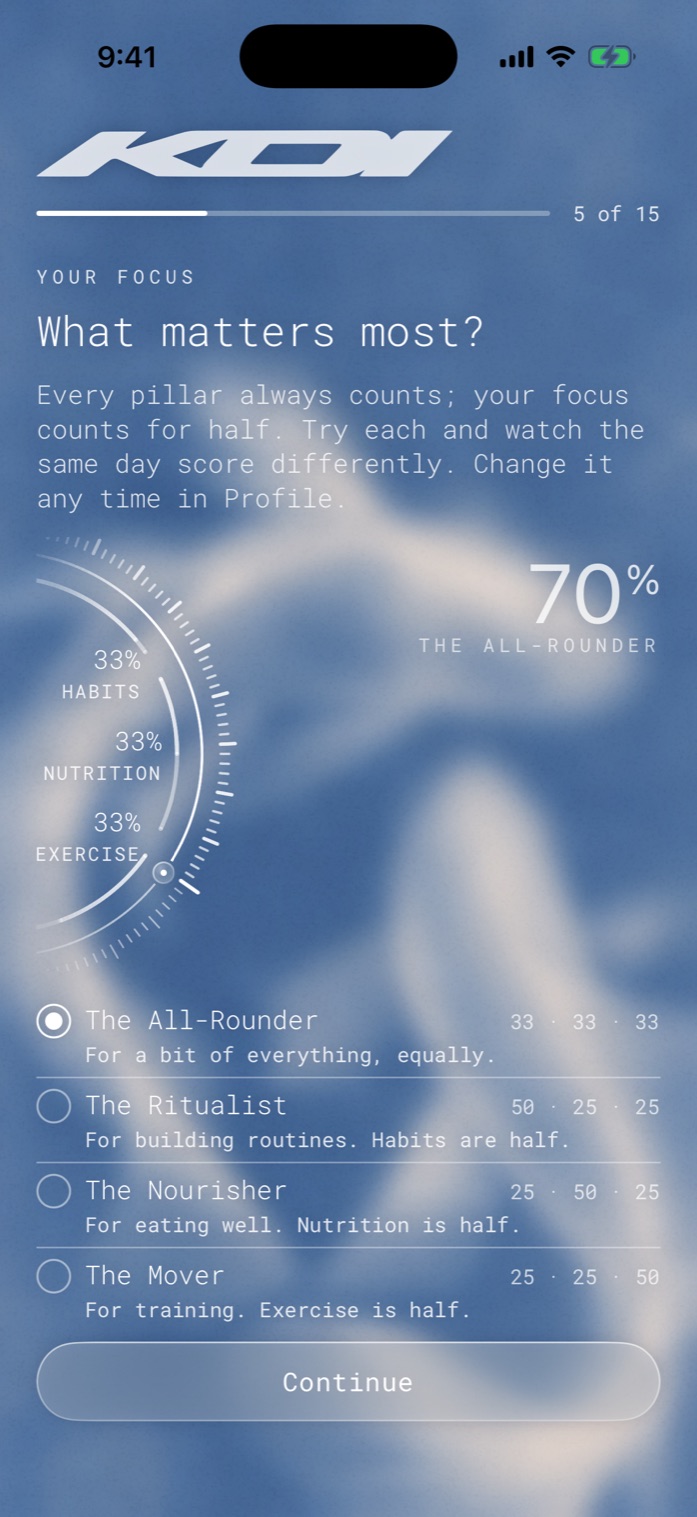
Every pillar counts. Which one counts most for you?
The All-Rounder
You want a bit of everything, held in balance. Habits, food, and movement weigh the same.
33 · 33 · 33The Ritualist
You're building routines: the morning walk, the reading, the bed made. Habits count for half.
50 · 25 · 25The Nourisher
You're working on what you eat. Hitting protein and fiber, landing near your calories. Nutrition counts for half.
25 · 50 · 25The Mover
You train. Steps every day and workouts most of the week. Exercise counts for half.
25 · 25 · 50Three pillars, one honest score. Good days add up, and off days don't undo them.
Next best action
Koi works out the one thing that would lift your score most right now, and shows it on the Hub, the lock screen, and in your nudges.
Streaks at 70
Any day your Balance reaches 70 counts toward your streak. It measures consistency, not perfection, and a heads-up comes if it's at risk in the evening.
Freezes
Every week in a row earns a freeze, up to two. Miss a day and one is used for you, so the streak lives on.
Set up in three minutes. Then it shows you around.
- Pick your focusWhich pillar counts for half
- Choose three habitsAs simple as making your bed
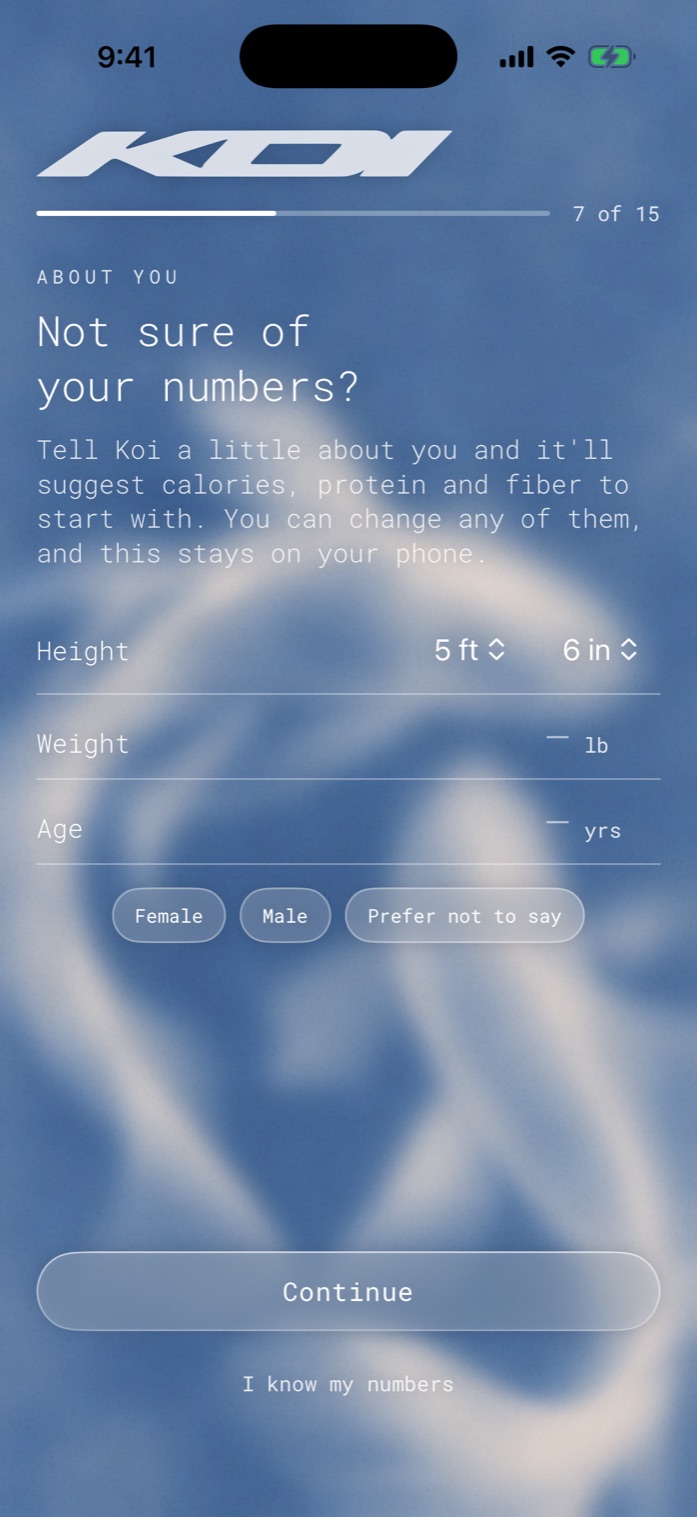
- Get starting targetsNot sure of your numbers? Koi suggests them
- Connect Health, Calendar, and notificationsEach one optional, each one explained
- Take the tourEvery gesture, on the real screens
Your day stays yours.
On your phone
Everything you log lives on your iPhone. There's no Koi account to make and no ads.
Your own iCloud
A private backup in your iCloud, so a new phone picks up right where you left off.
Read on-device
Smart notes and photos are understood by your phone itself. Nothing leaves it unless you choose to log a meal.
You decide
Health, Calendar, and notifications are each optional, and each one says exactly what it's for.
Keep your tools. Koi keeps you on track.
Almost everyone we talked to had tried a system before. Those systems rarely failed loudly. They died quietly, because keeping them up took effort and nothing held anyone to it. So Koi doesn't ask you to move your life into a new app. It reads from and writes to the places you already check, and spends its effort on accountability.
- [×]Smart notesLogged in Koi, and filed to Apple NotesLive
- [×]Dated to-dosWritten to your calendar, with a reminder beforeLive
- [×]Apple HealthSteps, workouts, weigh-ins, and sleep from Watch, Whoop, OuraLive
- [×]Smart notificationsA daily check-in, then only when it helpsLive
- [×]Home and lock screen widgetsQuick log, habits, and your next best actionLive
- [×]Siri and iCloud"Log a workout in Koi," and a private backupLive
Six apps, and none of them knew about each other.
one day
MacroFactor tracked my food, Hevy my lifting, Strava my runs, and Reminders, Calendar and Notes my to-dos. Each one was a promise I'd made to myself.
Every night all six were yelling at me, and not one of them could answer the only question that mattered: am I on track, or am I slipping? We asked 47 people how they feel balancing everything, and 46 said they're overwhelmed. That's the gap.
To-do apps are too rigid and only hold tasks. Notion and its relatives are too open-ended, so you spend more time building the system than using it. Koi is opinionated. It has a point of view about what you need to see, so there is nothing to assemble before you start.
Anyone can add a screen. Most of the work has been removal.
Opinionated
Every feature makes the product slightly less clear about what it's for. Koi decides what you need to see so you don't have to build it.
Shaped by interviews
Smart notes, personalized notifications, and widgets all came from people describing how their own systems fell apart, and all three shipped.
Built for resets
Falling off is normal. The streak counts at 70, freezes cover off days, and Koi is designed around getting back on track.

Act on your intent. Join the waitlist.
Koi is a working iPhone beta on its 28th build, with 51 beta testers, over 1,700 sessions and zero errors reported, and a finalist for the Startup Launch Award at Cal Poly's AI Hackathon. Leave your email to be one of Koi's first users. Your first month at launch is free.